Make it easier for your teams to speak up

For HR, L&D and People & Culture: team workshops where quieter voices get heard too, and development conversations that go deeper than a form. One board in the browser, with the video call built in.

Built in Germany, boards and account data hosted in Frankfurt. Single sign-on for organizations. From the team behind the metaFox cards.

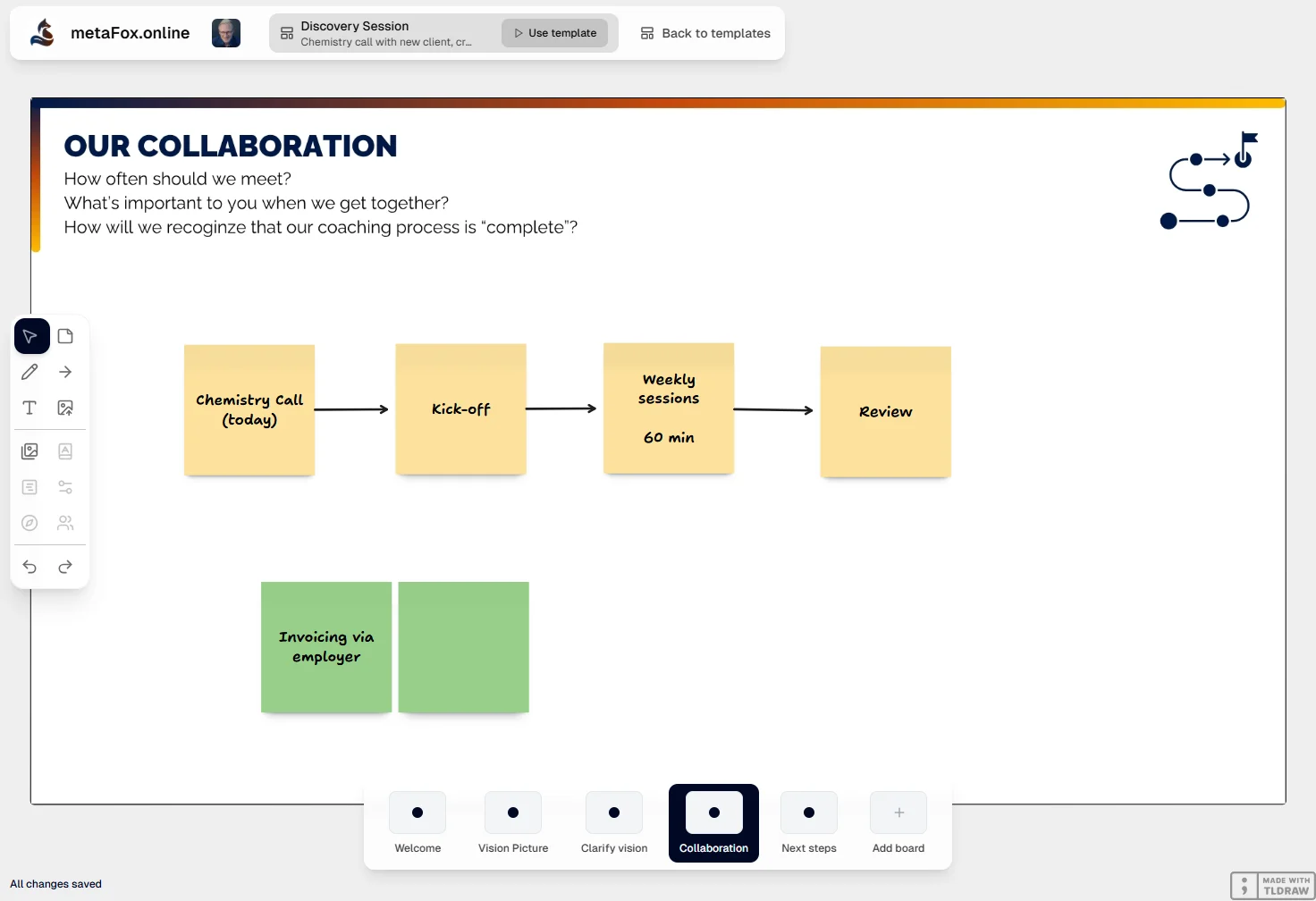
A team session in metaFox.online: picture cards on the board, six people in the video call

The workshop is booked. Three people do the talking.

You want everyone in the room to speak up. In a video call with twelve faces, that takes more than an open question.

Before the session

Every workshop starts from scratch

Check-in, exercise, wrap-up: each team session gets rebuilt in slides, a whiteboard and a video tool.

The development conversation follows a form

The template asks for goals and ratings. What the person wants to talk about has no field.

During the session

The first answer sets the tone

In a round of "How is everyone doing?", whoever speaks first frames the rest. Quieter people agree and move on.

Saying it out loud feels risky

Naming a conflict or a worry in front of the team or the manager is a big step when there is nothing to point at.

After the session

The results stay on the flipchart

A photo of the flipchart ends up in a chat. Three months later, nobody knows what the team agreed.

Nothing to build on next time

The next development conversation starts from memory.

Two jobs, one tool

For team workshops and development conversations

Both go better when people say what they actually think. metaFox.online gives each person a way in before the discussion starts.

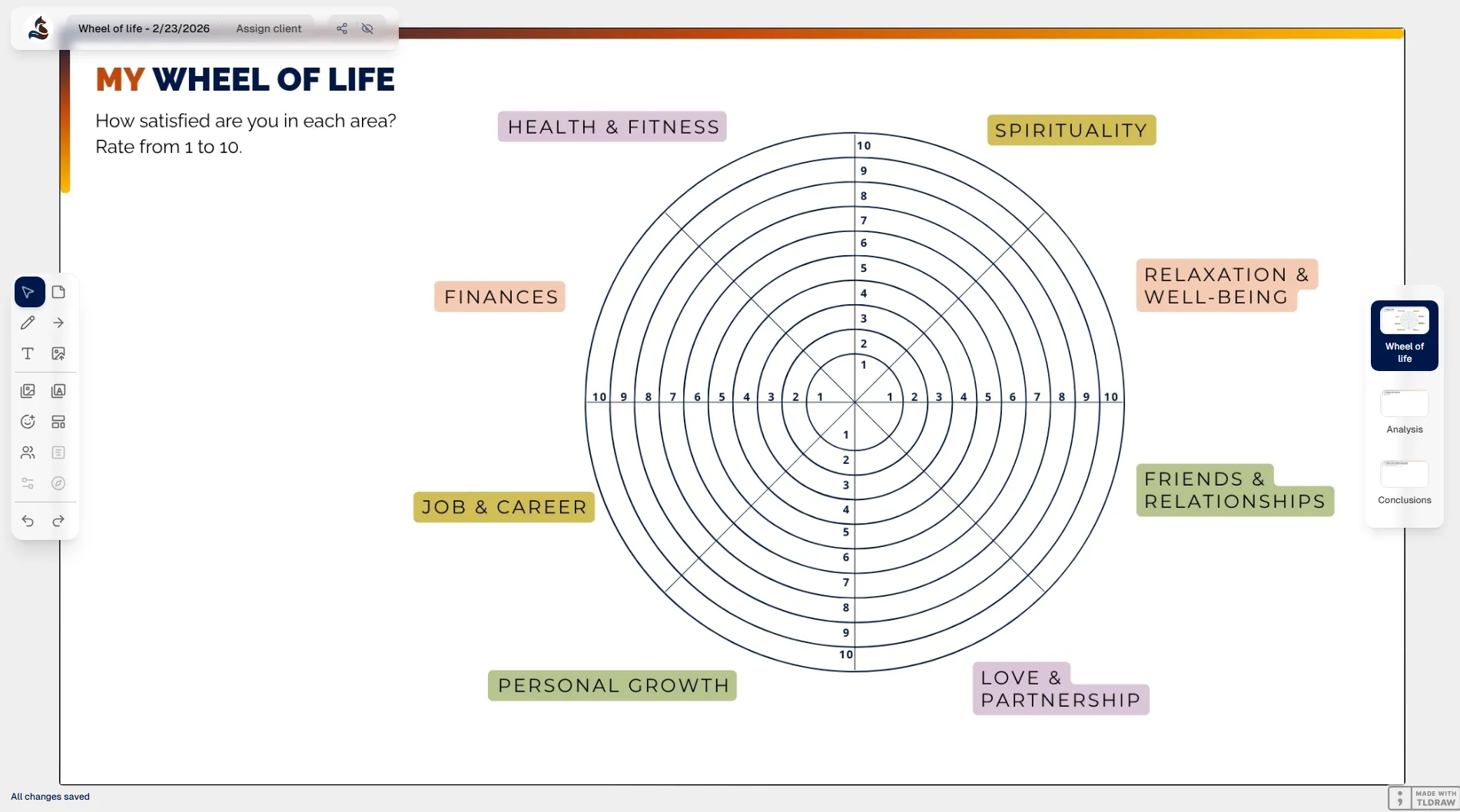
A Wheel of Life on the board during a video call with four people

Team workshops

Workshops where quieter voices get heard too

Check-ins, retrospectives, team development, conflict and change work. Everyone works on the same board in the browser, with the video call next to it. No drawing: you place and move cards, numbers and figures.

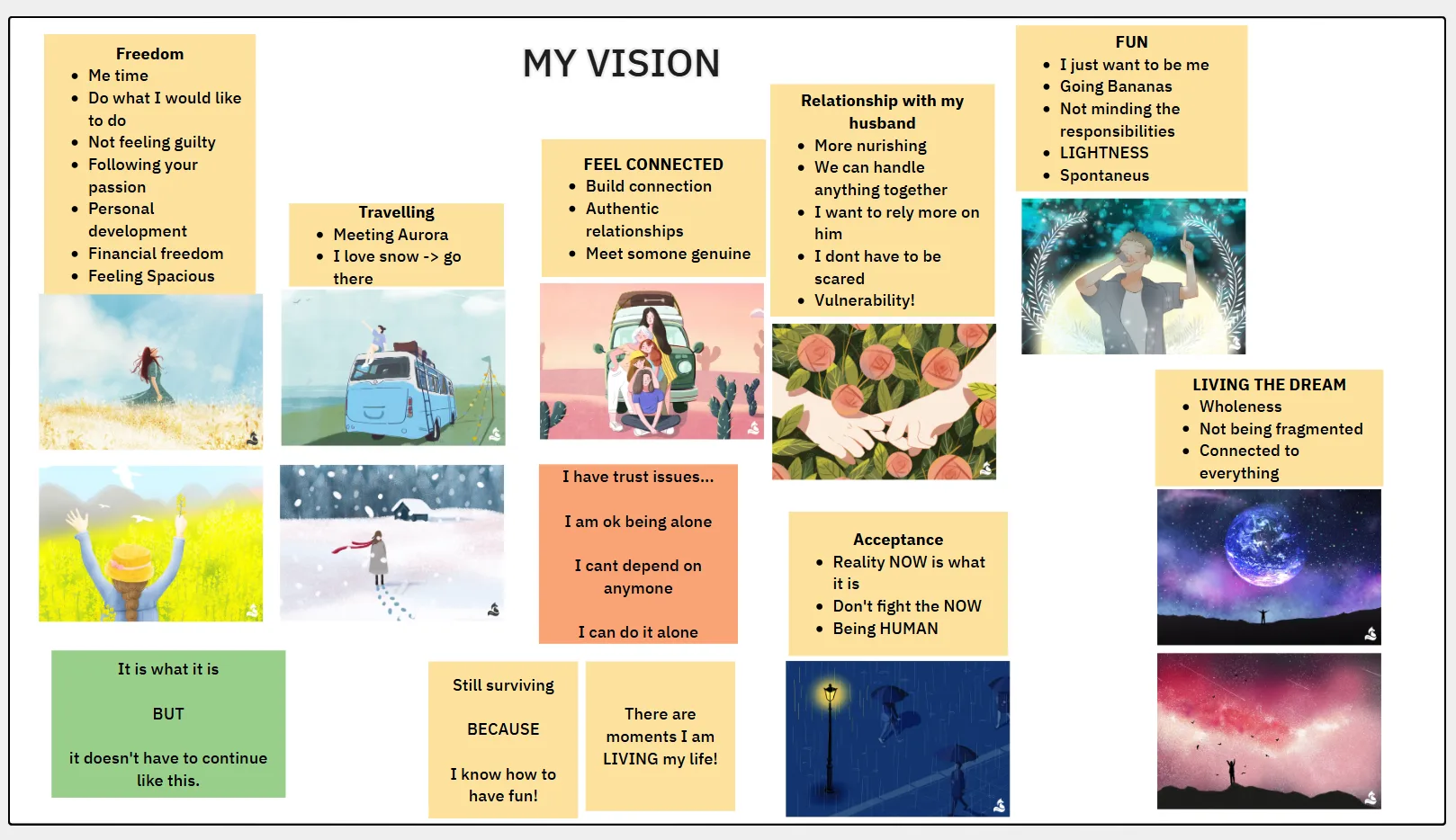
  • Picture check-in: everyone picks a card and says how they arrive. One link, no account.
  • "Growing Together" picture set for group processes and team dynamics.
  • Scaling questions: each person places their own number before the group talks about it.
  • Constellation Board: place the team as figures and look at it from each position.
  • Breakout rooms and co-facilitators in the built-in video call.
A Values Discovery report: a person's top values, ranked

Development conversations

Development conversations that go deeper than a form

The form is for the paperwork. For the conversation itself, the person brings their own words: what matters to them, where their strengths are, which area of their life needs attention.

  • Values Discovery: the person picks, names and ranks their own values, by link and without an account. You get a report to discuss.
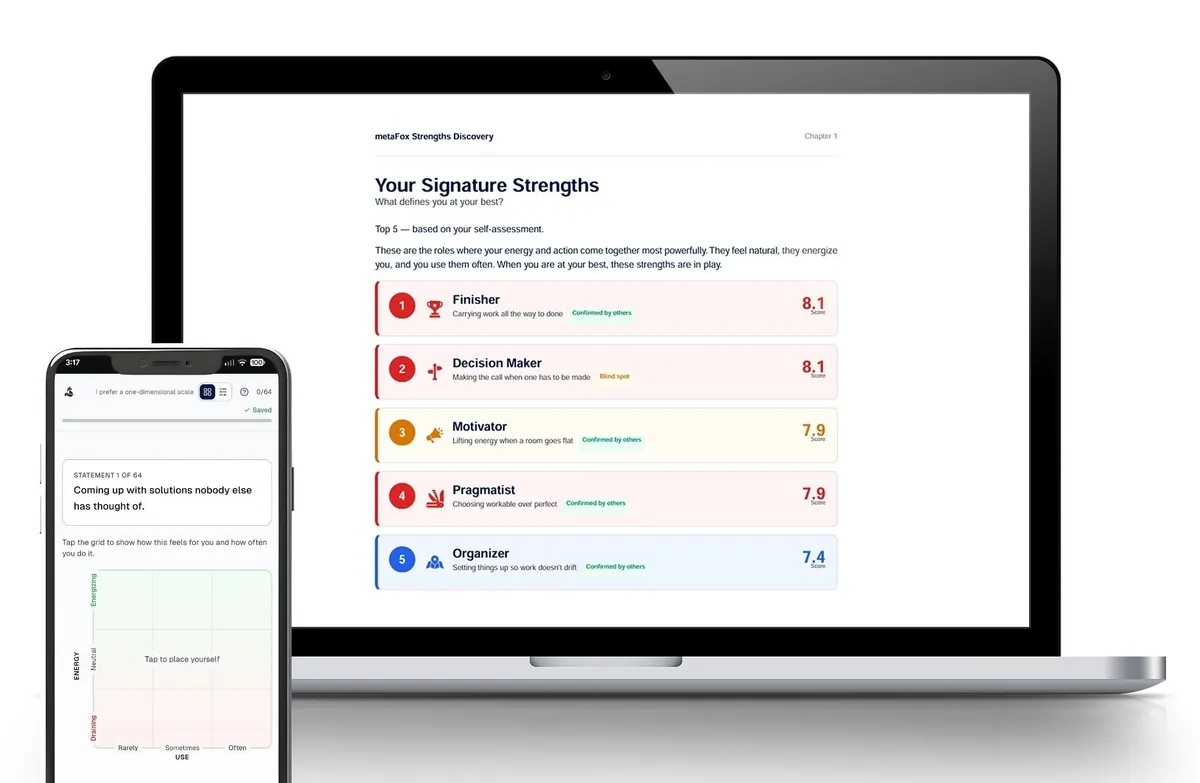
  • Strengths Discovery: a strengths assessment with a debrief on the board.
  • Wheel of Life: rate each area today and where you want it to be.
  • Picture cards to open, values and strengths cards to go further.
  • The board stays saved, so the next conversation starts where this one ended.

Why speaking up matters

Amy Edmondson's study of work teams ("Psychological Safety and Learning Behavior in Work Teams", Administrative Science Quarterly, 1999) describes psychological safety as a shared belief that the team is safe for interpersonal risk-taking. Google's Project Aristotle lists it first of five dynamics of effective teams (re:Work guide). Neither study looked at metaFox.online. The tools do something smaller: they make it easier for each person to put something on the board and talk about it.

What changes when the session runs on one board

Before the session

Session designs you reuse

Start from a template or build your own, with check-in, exercise and wrap-up already on the board. Share it with your organization.

The person brings the topics

Values Discovery, Strengths Discovery or a Wheel of Life give the conversation its content, in the person's own words.

During the session

Everyone answers before the discussion

Each person picks a picture card or sets a number on a scale on their own first. Then the group looks at the answers together.

Something to point at

A picture card or a figure on the Constellation Board puts the topic on the board, where the group can talk about it.

After the session

The board is the record

The board stays saved after the session. Export it as a PDF and send it to the team.

Pick up where you left off

Open the same board at the next conversation. The ranking, the scores and the notes are still there.

How a team session runs

  1. Send one link.
    1

    Send one link.

    Start the video call in metaFox.online. Participants join in the browser with one link, without an account.

  2. Put the session on the board.
    2

    Put the session on the board.

    Start from a template or an empty board. The video moves beside the board, so everyone sees both.

  3. Open with a picture card.
    3

    Open with a picture card.

    Pick a set, for example "Growing Together" for team dynamics. Each person chooses a card that shows how they arrive.

  4. Work on the board together.
    4

    Work on the board together.

    Scaling questions, a Wheel of Life or the Constellation Board. Split into breakout rooms when smaller groups talk more easily.

After the session

The board stays saved. Export it as a PDF for the team, or open it again at the next session. Templates you build can be shared with everyone in your organization.

A coaching session board with picture cards, post-it notes, wheel of life, scaling questions and more tools — exported and shared with the client.

See metaFox.online in action

The metaFox.online app combines whiteboards with coaching tools and conversation templates, as well as client management and documentation. This video gives you a 3-minute overview.

See metaFox.online in action

All your coaching tools. One click away.

Picture Cards

Picture Cards

Use metaFox deep pictures and let the client choose images that visualize challenges, resources or goals. With one click they are on your board and in the conversation.

Learn more
Strengths Cards

Strengths Cards

Use metaFox 'Your Strengths' coaching cards to identify and build on personal strengths. Select cards that resonate and add reflections directly on the whiteboard.

Learn more
Strengths Discovery

Strengths Discovery

Evidence-based strengths assessment with 360° feedback. Your client completes a visual self-assessment and you debrief the report together in the session.

Learn more
Values Cards

Values Cards

Discover what really matters with metaFox 'What Really Matters' cards. Explore core values, rank them by importance, and document insights on the whiteboard.

Learn more
Values Discovery

Values Discovery

Your client picks values from 80 cards, puts them in their own words and ranks them on their own. You get the report and a debrief on the whiteboard.

Learn more
Feelings Cards

Feelings Cards

Help clients identify and express their emotions with metaFox coaching cards. A powerful tool for building emotional awareness and navigating feelings in the coaching process.

Learn more
Beliefs Cards

Beliefs Cards

Uncover and examine beliefs and assumptions with metaFox coaching cards. Bring limiting beliefs to the surface and rework them into supportive perspectives on the whiteboard.

Learn more
Inner Parts

Inner Parts

Playfully and precisely represent inner voices, drivers and needs. Very simple thanks to predefined figures. Everything stays on the board as documentation.

Learn more
Wheel of Life

Wheel of Life

The coaching classic for comprehensive analysis of life situation. For reflection at the beginning of a coaching journey. Fill out the wheel, continue talking directly in the board and document.

Learn more
Constellation Board

Constellation Board

Place figures for the people in a system, show who looks at whom and how close they stand, and move them together with your client. On a wooden, clean or quiet board.

Learn more
Scaling Questions

Scaling Questions

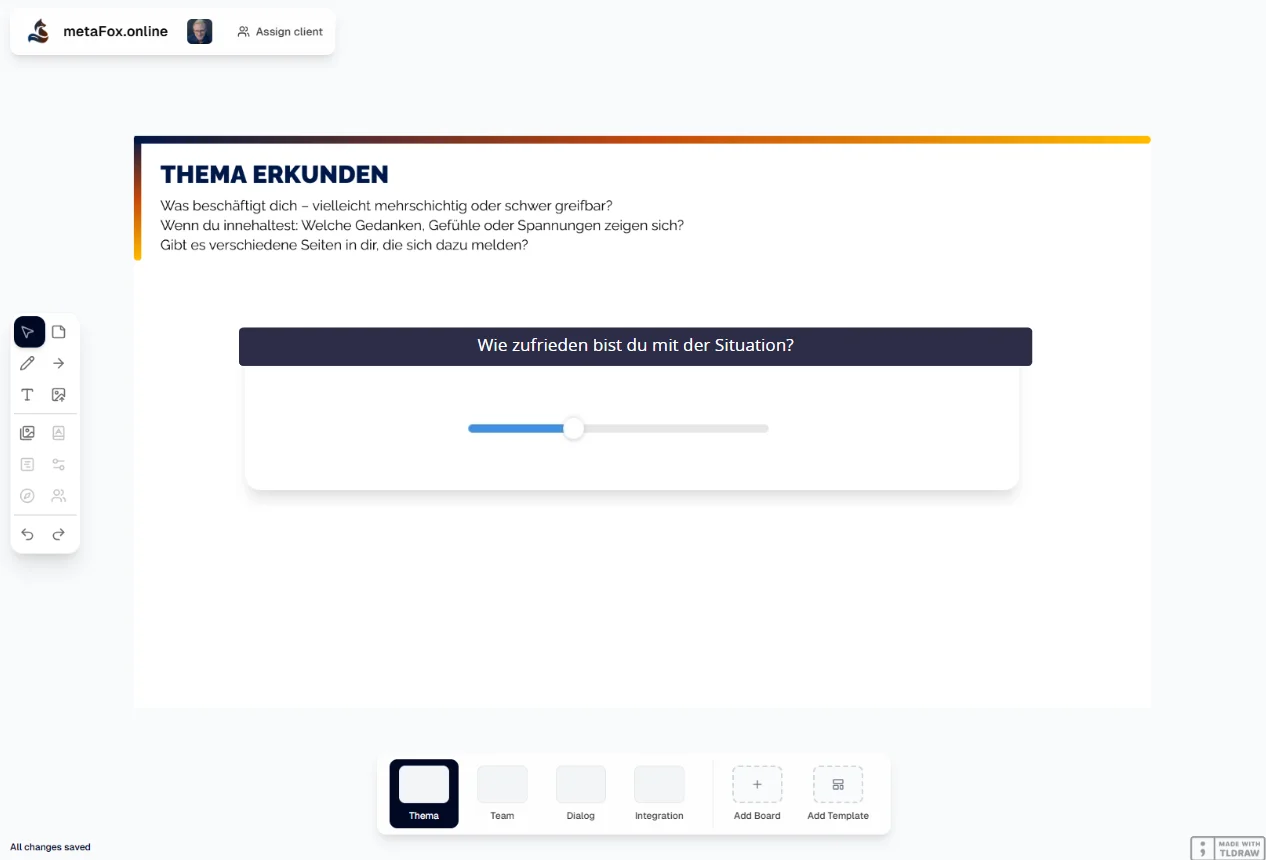
"How satisfied are you on a scale of...?" - Questions like these are really fun when your client moves the slider of their state themselves. Full integration into the whiteboard.

Coming soon

Bring your own slide templates, images, and post-its.

Templates: Make the platform your own.

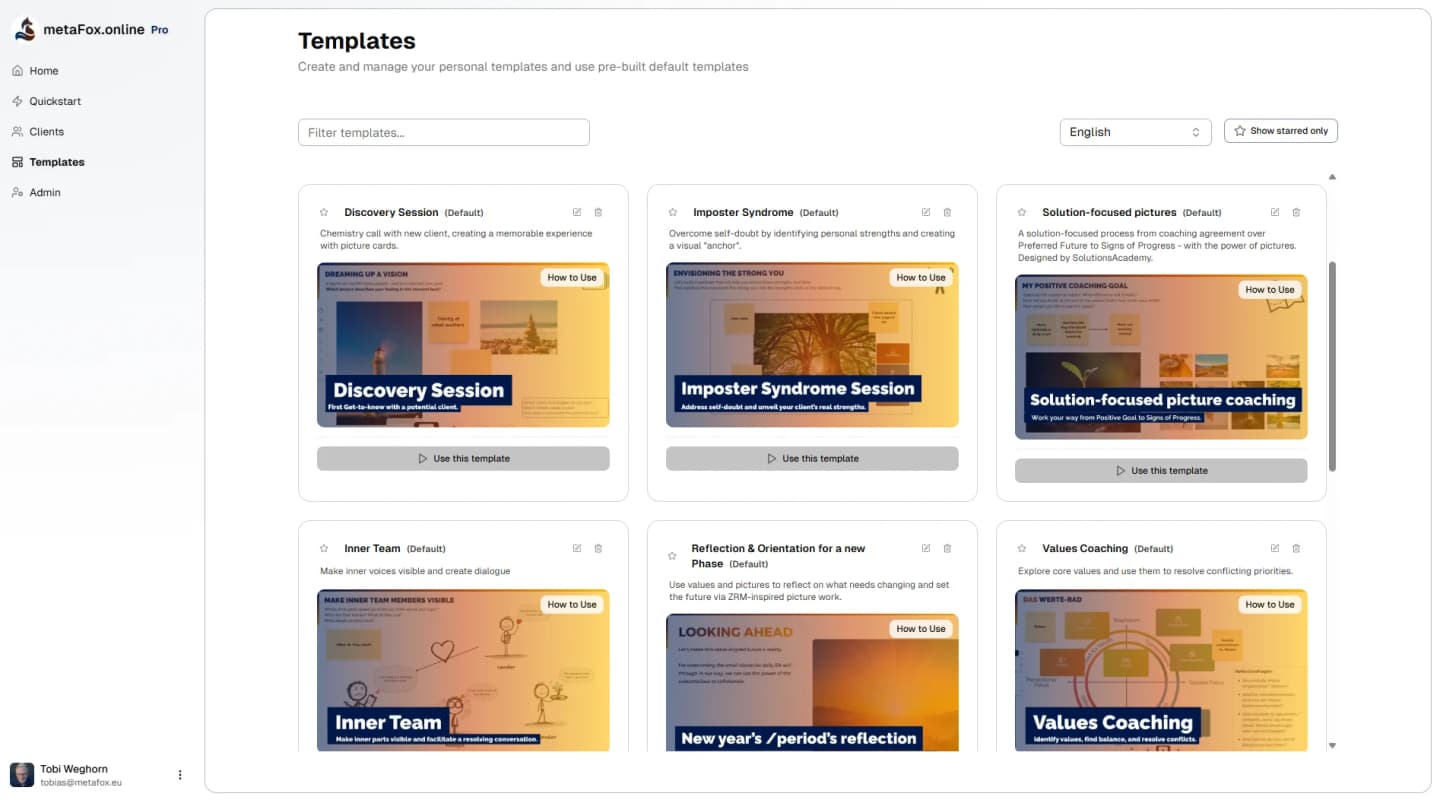
Start your coaching sessions with prepared slides that guide the flow and provide structure. Upload your own slides, images, and frameworks, or use ready-made templates from the library. Build a session design once, reuse it across clients.

Templates: Make the platform your own.

For the people who roll it out

Set up for your organization

What IT and procurement need to know before a pilot.

  • Single sign-on and SCIM

    Sign in with Google Workspace (OIDC) or Microsoft Entra ID (OIDC or SAML). With Entra ID, SCIM keeps members in sync with your directory.

  • One agreement for the organization

    You choose the number of seats. Members get full access, and the organization owner manages who is in.

  • Shared session designs

    Build a workshop or conversation template once and share it with your organization. Every member can use it; only the author edits it.

  • Data hosted in the EU

    Database, files and whiteboards run on servers in Frankfurt. See our privacy policy for the providers we use and where they process data.

Want to start with one team? Book a 30-minute demo and talk it through with Tobi or Max.

Book Demo Call

Is this for you?

You work in HR, L&D or People & Culture. You design team workshops, train the people who run them or set up development conversations across teams. You want people to say what they actually think.

Leading your own team's 1:1s? See metaFox.online for leaders

Stephen Nock
It was amazing how easily my client joined the board. No login friction. We immediately shared the same coaching space and accessed the same notes and cards.
Stephen Nock

Why metaFox.online, not what you use today

What you use today

The development conversation follows a form. The topics the person cares about have no field.

HR suite or review form

With metaFox.online

The conversation runs on a board first: values, strengths or a Wheel of Life the person fills in themselves. The form can follow.

What you use today

In a team call, a few people talk and the other tiles stay quiet.

Zoom or Microsoft Teams alone

With metaFox.online

Everyone picks a card or places a number on the same board, with the video call built in.

What you use today

You build every exercise yourself on an empty canvas.

Miro, Mural or Conceptboard

Compared in detail: Miro · Mural · Conceptboard

With metaFox.online

Picture cards, scaling questions, Wheel of Life and the Constellation Board are ready to use. Participants join with a link.

What you use today

After the workshop, the results sit in a chat as a photo.

Flipchart photos and scattered notes

With metaFox.online

The board stays saved. Export it as a PDF or open it again at the next session.

See all comparisons

Responsible Tech

You work with sensitive conversations. We treat them that way.

  • Made in Germany. Data in the EU.

    Boards, notes, and client records are stored on servers in Germany.

  • No surveillance business model.

    You pay for a tool, so we build a tool. We earn from subscriptions — never by selling your data or your clients'.

  • You own what you create.

    Boards, notes, client records. Export anything. Delete anything.

  • No AI slop.

    Your human-to-human relationship is the core of your practice. You choose what to write down. You choose the tools supporting development.

More on privacy & security

Pricing

Choose the plan that works best for you.

Test every feature free for 14 days. No credit card needed.

Try for free

Frequently asked questions

Do you have any questions? We have got you covered.

Try it in your next session

Start using metaFox.online today with a free trial.
No credit card required. Cancel anytime.